 WooCommerce plugin and Shopify app · AC Studio
AC Pazaryerleri: Trendyol
The AI marketplace helper KankAI tells you which orders, questions and stock updates are waiting and drafts replies to customer questions; you approve.
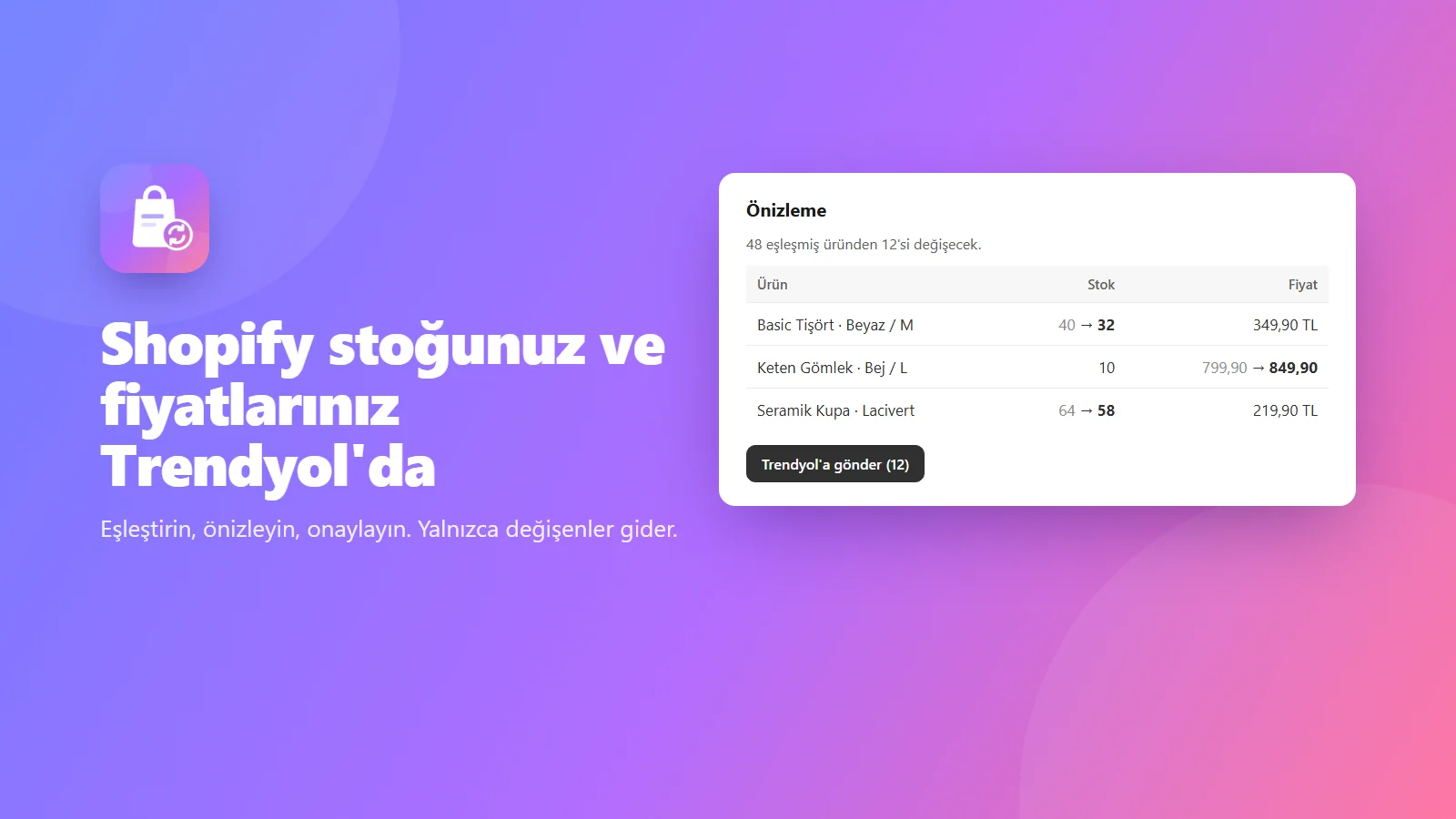
AC Pazaryerleri connects your WooCommerce or Shopify store to your Trendyol seller account, with the AI helper KankAI on every screen. Products are matched at variant level by barcode and SKU. Your store’s stock is the single source of truth: Trendyol receives your stock minus a safety buffer you set, and a price calculated by your rule. Before every bulk change you see what will change; only changed products are sent, and the result is reported in plain language. AC Pazaryerleri is an independent app; it is not a Trendyol product and is not affiliated with Trendyol.
How it works
- 1
Connect Trendyol
Enter the integration details from your seller panel once; the connection is tested right away.
- 2
Match your products
Automatic matching by barcode and SKU; you confirm the ones that are not certain.
- 3
Set your rule
Safety buffer, price difference and rounding; the Trendyol price is calculated from your store price.
- 4
Preview and send
See the stock and prices that will change, approve them, and get a per-product report.
What you get
KankAI, the AI helper
Tells you which orders, questions and stock updates are waiting; drafts replies to customer questions and suggests the category when you open a product. You approve.
Orders in your store
Trendyol orders arrive in your store as orders and stock goes down; shipping and cancellations are handled.
Returns and customer questions
Approve returns or reject them with a reason; answer questions from one screen with KankAI’s draft.
Variant-level matching
By barcode, SKU or by hand; every size and colour is matched separately.
Stock with a safety buffer
Your store’s stock leads; Trendyol gets it minus the buffer you choose.
Prices by rule
Fixed amount or percentage difference, a minimum price and rounding.
Preview before sending
See before and after values; nothing is sent without your approval.
Strikethrough price check
A warning when a discount display may break the Turkish rules; the decision is yours.
Plain-language error report
Messages like “3 products could not be sent: image too small”, with a way to fix them.
Inside the app
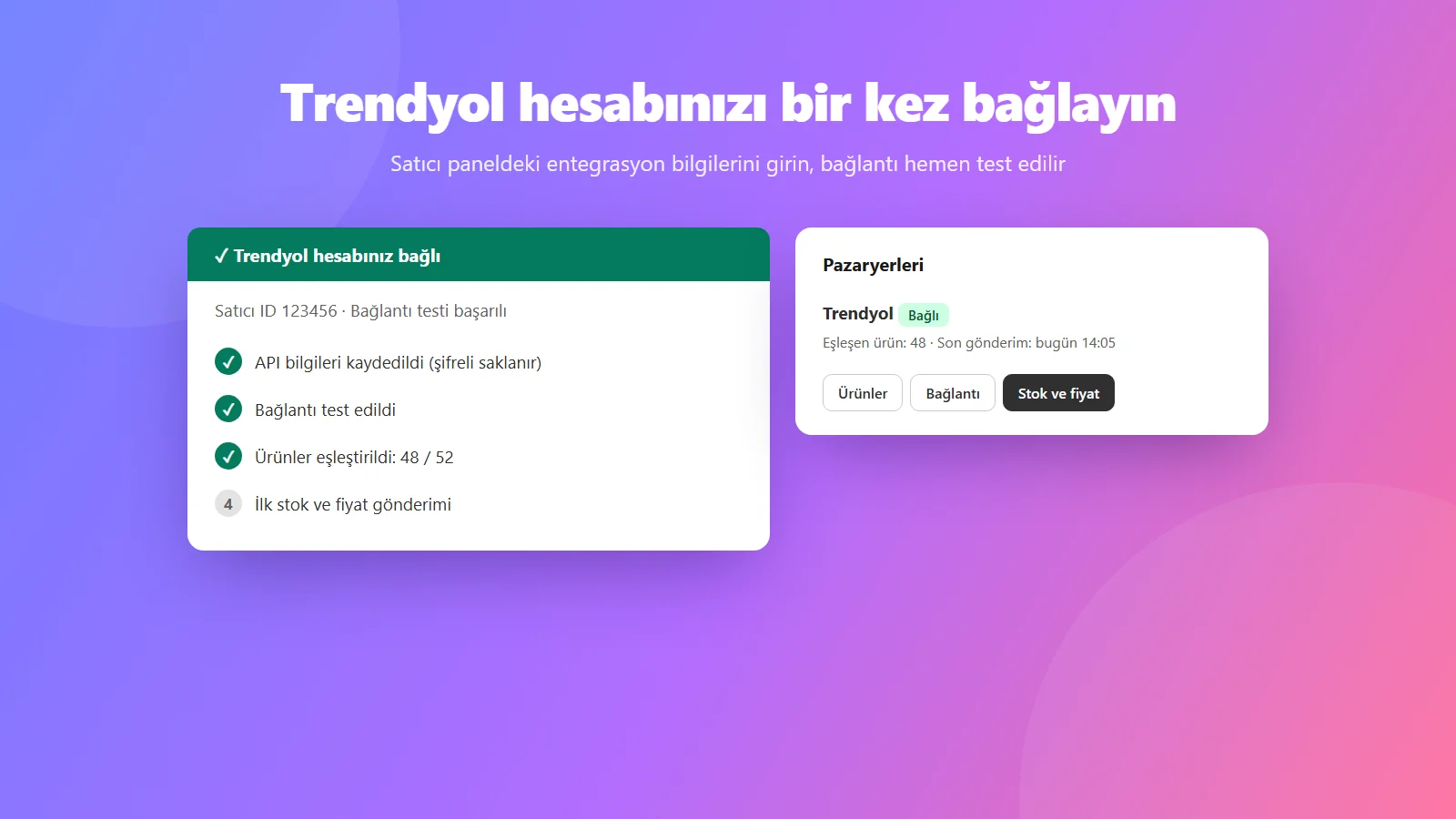
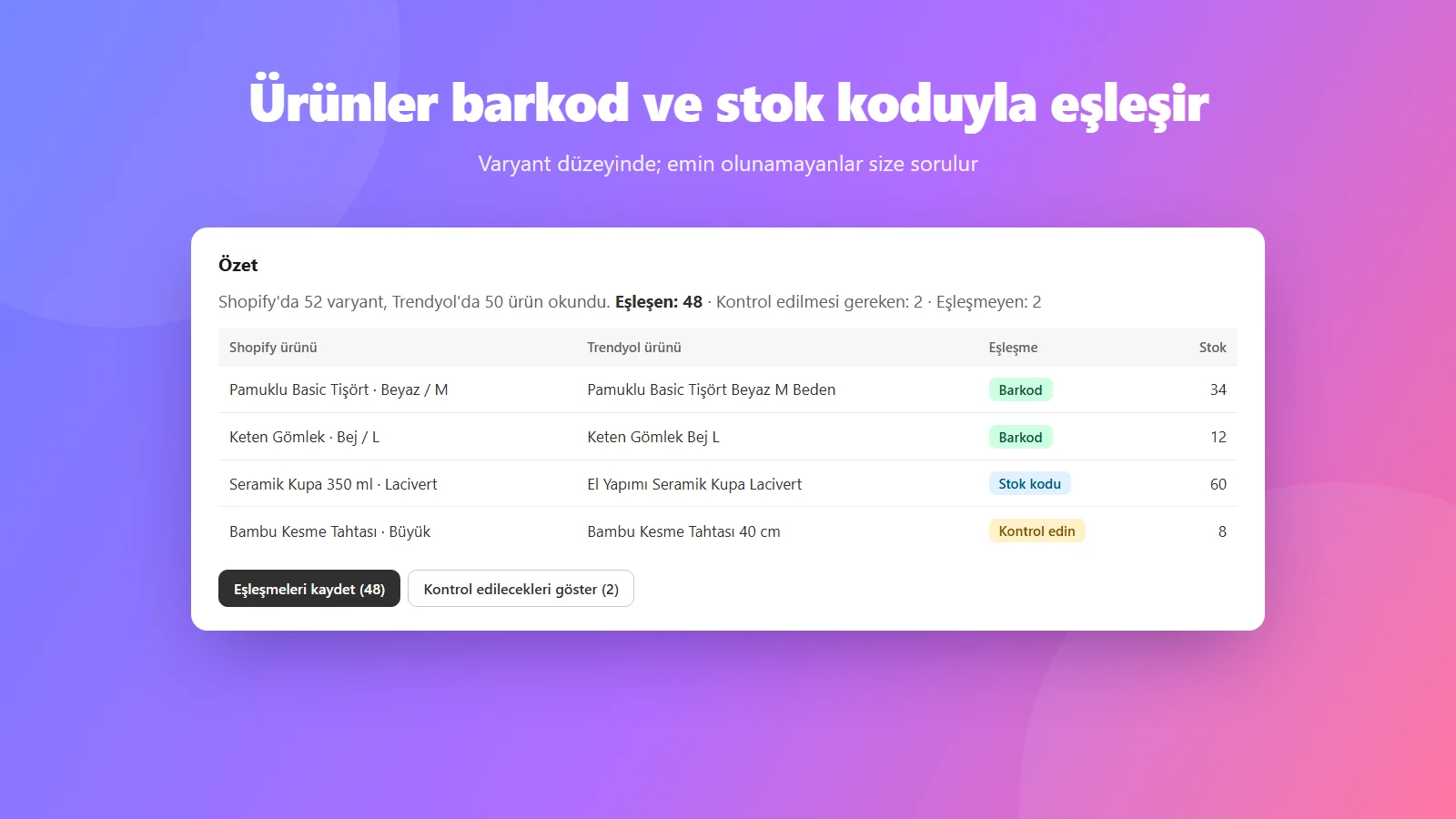
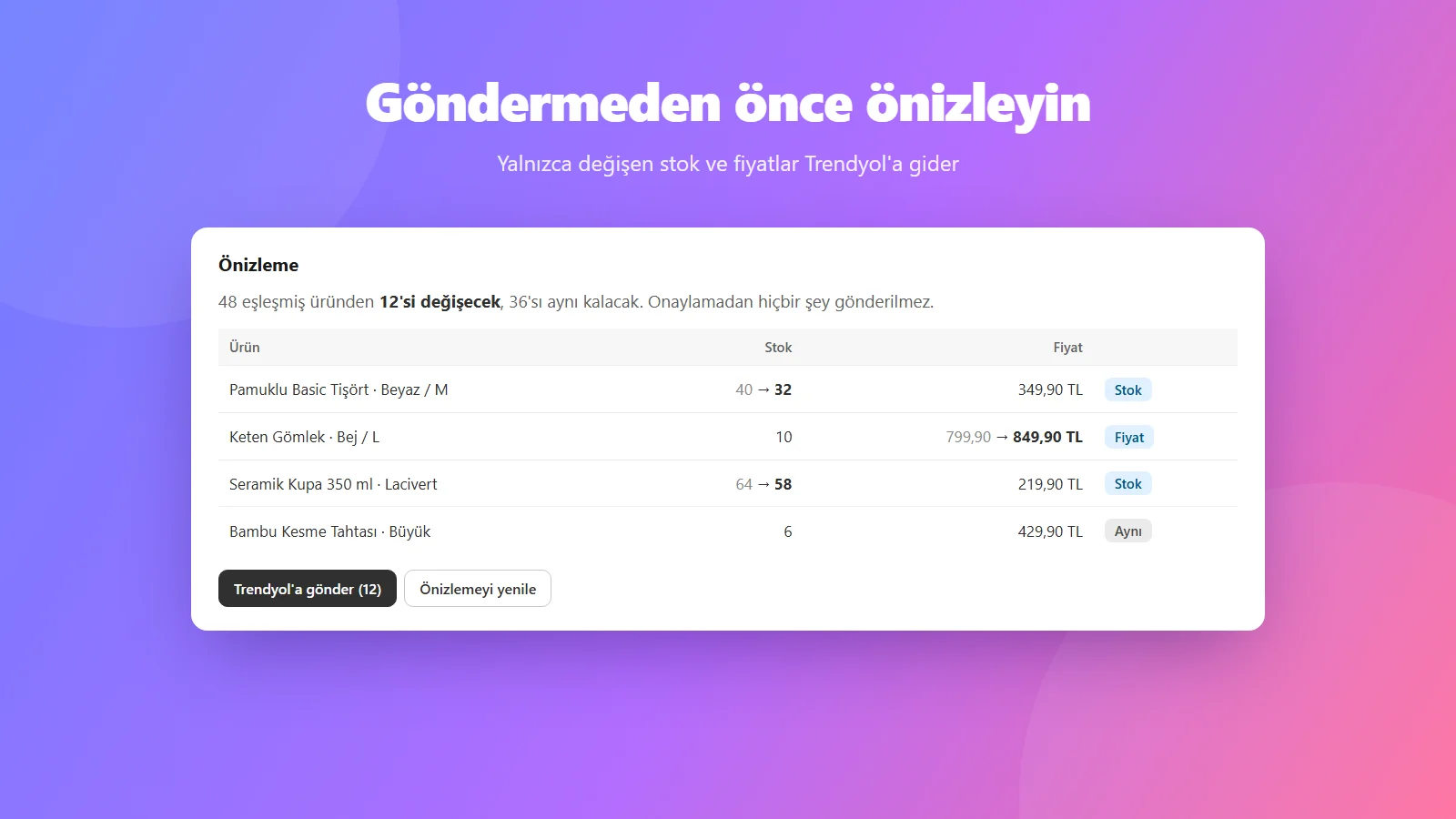
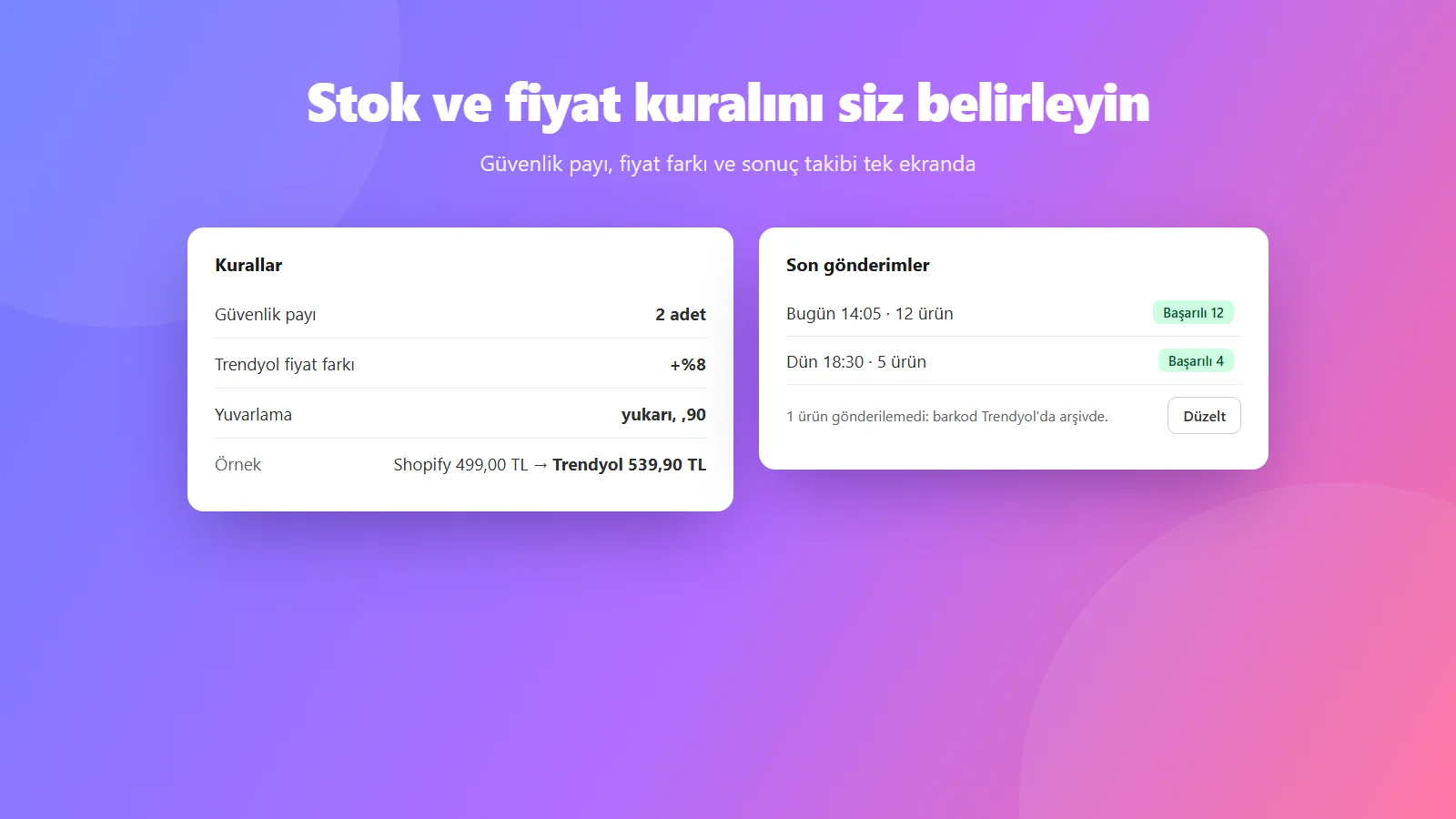
The images are from the Shopify app; store, product and seller details are sample data. The app and the images are in Turkish.
The WooCommerce plugin is live
AC Pazaryerleri for WooCommerce is free to install from WordPress.org. When your stock or price changes, Trendyol is updated too; Trendyol orders arrive in WooCommerce and stock goes down. You see every bulk change first and approve it.
- 1
Install
In WordPress go to Plugins > Add New, search for “AC Pazaryerleri”, install and activate it.
- 2
Agree
Open WooCommerce > AC Pazaryerleri, accept the data transfer and press “Onayla ve bağlan” (Agree and connect).
- 3
Connect Trendyol
Enter your seller ID, API key and API secret in the plugin.
- 4
Match and send
Match your products, preview stock and prices, then approve and send.
Orders, returns and shipping
Orders are imported into WooCommerce (once you switch it on); you approve returns and get shipping labels as PDF.
Bulk work with Excel
Download an .xlsx to open or fix products, fill it in and upload it; preview before sending.
Profit from real deductions
Commission, shipping and service fees are read from Trendyol’s own settlement records; you enter no rates.
Try it with a sample store
Test it without connecting a Trendyol account; nothing reaches the real marketplace.
WooCommerce plans
Free
0 TL
- Up to 10 orders a month
- Every feature except KankAI
Trendyol
9,990 TL / year
or 999 TL a month
- Unlimited orders
- KankAI: chat, draft replies, category suggestions
- Priority support
Prices include Turkish VAT and are paid by bank transfer. Plans are sold and invoiced by Erol Cengiz (AC Studio). If you pass the order limit, orders keep arriving and you see a notice. Requires WooCommerce, WordPress 6.2 and PHP 7.4 or later.
Common questions
What is KankAI, and does it change anything on its own?
KankAI is the AI marketplace helper of AC Pazaryerleri. It tells you what is waiting and drafts replies. It changes nothing by itself: when it suggests a job it shows a card, and the job runs only when you press “Uygula” (Apply). It uses no customer data and runs on Google Vertex AI (Gemini) in the EU.
Is anything sent to Trendyol without my approval?
No. Every bulk stock and price change is previewed first and sent only when you approve it.
Which stock is the source of truth?
Your store’s stock. Trendyol receives it minus the safety buffer you set.
How are my Trendyol API details stored?
Encrypted, separately for each store. They are deleted when you uninstall the Shopify app or, in the WooCommerce plugin, when you press “Bağlantıyı kaldır” (Remove connection) in the settings.
Who is responsible for strikethrough prices?
The merchant. The app warns about prices that may break the rules but does not block them, and it gives no legal advice.
Will other marketplaces follow?
The first release is for Trendyol. Other Turkish marketplaces will follow in later releases with the same screens.
How much does it cost?
The WooCommerce plugin is free for up to 10 orders a month; the Trendyol plan costs 9,990 TL a year or 999 TL a month, VAT included. Shopify plans will be announced before the app goes live on the Shopify App Store; those charges are billed through Shopify.
Support
We answer in Turkish and English, usually within two working days. Please include your store address (your site or your-store.myshopify.com) and, if your question is about a specific product, its barcode.
Do not send your Trendyol API Key or API Secret by email; we never ask for them.
developer@alpercengiz.comLegal
AC Studio · Alper Cengiz, Berlin